
Collapsible block
Tuck content behind a title that residents click to open and close.
What it's for
A Collapsible shows a title with an arrow. Residents click or tap the title to open it and see what's inside, and click again to close it. Use it for frequently asked questions, long details most people don't need, or a list of past meeting documents. It keeps long pages short and easy to scan.
Add it to a page
- Open the page in the builder.
- In Add blocks, under Layout, drag Collapsible onto the page. Its title reads "Collapsible section".
- Select the collapsible and click the pencil (Edit).
- In Title, type the title, for example When is leaf pickup?
- Click Save.
- Drag the blocks that should go inside, such as a Rich Text block, into the collapsible, under its title.
You can also double-click the title on the canvas and type to change it.
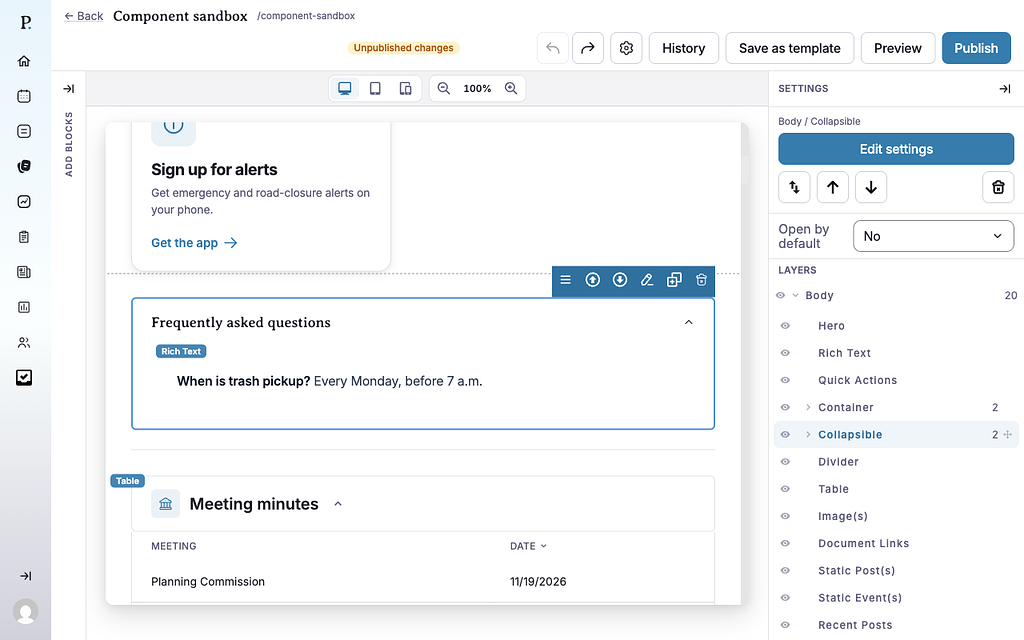
Settings
- Title — the text residents click. Change it in the collapsible's Edit window, or by double-clicking the title on the canvas. Keep it short and specific.
- Open by default — in the Settings panel on the right. No (the default) means the collapsible starts closed on the public page. Yes means it starts open, and residents can still close it.
What can go inside
A collapsible can hold any block, a container, or another collapsible.
A collapsible can't go inside a container column. If you add one while a block in a column is selected, the builder places it right after that container.
Tips
- Collapse it while you edit. Click the arrow at the right end of the title on the canvas to close or open it in the builder. This doesn't change Open by default.
- Drop into a closed collapsible by holding a block you're dragging over its title for a moment. It opens so you can drop the block inside.
- Always give it a title. Residents using screen readers hear the title to know what the section holds. The accessibility check flags a collapsible with no title.
- Use one collapsible per question in an FAQ, rather than one big collapsible with every answer.
- Important information shouldn't be hidden. Leave urgent details, such as closures, outside any collapsible.
- On the public page the title is a button, so residents can open it with a keyboard too.
Example
These are live collapsibles. The first starts closed. The second has Open by default set to Yes and holds another collapsible.
Here's a collapsible opened on a public page:
